

How to Choose the Best Camp Management Software

Choosing camp management software starts with three questions:
- Does it fit the way your camp operates?
- Can families and staff use it confidently?
- And can you understand the full cost before committing?
The best camp software helps your team manage registrations, forms, payments, and daily operations—with the flexibility and support to deliver the experience your families and groups expect.
Running camp should be a joyful experience. But chasing payments, sorting paperwork, and wrestling with technology can leave less time to focus on camper experiences.
If that sounds familiar, you’re not alone. Camp leaders juggle endless responsibilities. The right software should help lighten the load.
Whether you run day camps, overnight programs, or both, use this guide to identify your requirements, build a vendor shortlist, and ask better questions before you buy.
A Camp Director’s Essential Camp Software Buying Checklist:
Before building your software shortlist, clarify what your team needs and how you’ll evaluate your options.
- Understand what you’re buying and why. Identify how camp software should support each team.
- Define must-have tools and workflows. Look beyond camp registration to bookkeeping, customer records, communications, and security.
- Understand up-front and recurring costs. Compare current expenses with implementation costs, ongoing fees, and potential savings.
Explore iCampPro’s pricing.
- Evaluate security, support, and experience. Review your camp’s concerns and ask how each software vendor addresses them.
- Plan for implementation and growth. Confirm switching responsibilities and how the software can adapt.
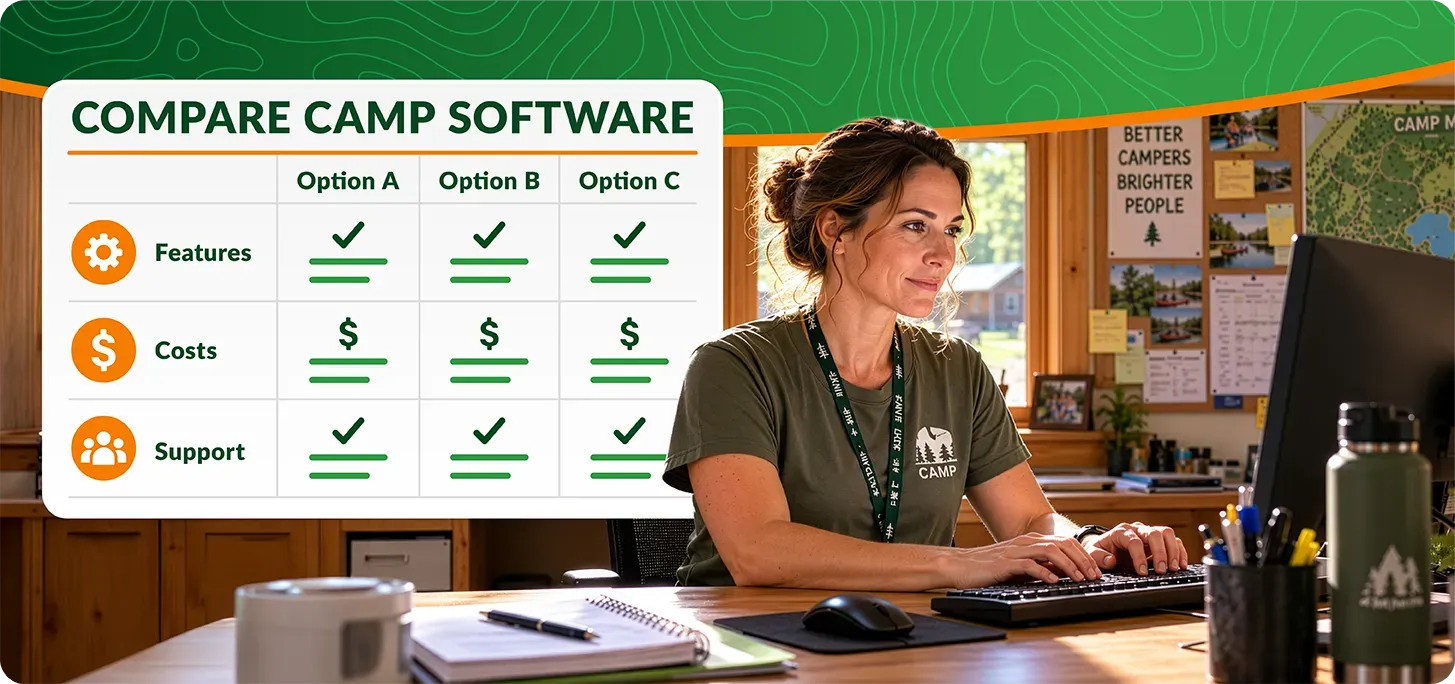
- Compare strengths and tradeoffs. Ask providers to demonstrate your workflows and document any gaps.
Below, we’ll work through each step…
Step 1: Understand What Camp Management Software Does Best
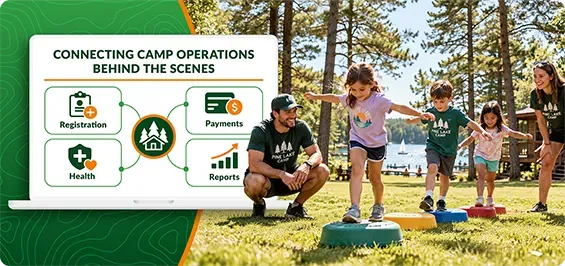
Camp management software organizes registration, payments, camper information, forms, cabin assignments, health records, and communications. Reports and dashboards help staff manage operations and inform leadership decisions.
Camp registration software primarily focuses on enrollment, forms, and payments.
Camp management software connects those tasks with broader operations before, during, and after camp. The categories overlap, so examine the data and workflows each platform supports.
Depending on the provider, additional tools may include attendance, hiring, activity scheduling, transportation, fundraising, alumni engagement, camp stores, group reservations, and family stays.
Spreadsheets and general-purpose forms can handle simple processes. As operations grow more complex, moving information between tools and keeping everyone updated can create more work.
The core value of camp management software is connecting information and operations: less duplicate work, easier collaboration, and clearer reporting.
You may not need every feature software vendors offer. Prioritize your camp’s essential workflows and consider tools that will support your planned growth over the next five years.
Step 2: Define the Core Tools and Workflows Your Camp Needs to Succeed
A feature list tells you what exists. A demo should show you how your camp will use it.
Start with the people handling daily administrative work: your registrar, directors, health staff, and finance team.
Then ask each person:
- What takes more time than it should?
- Where do we enter the same information twice?
- Which recurring problems affect families or staff?
- What must work differently before our next registration launch?
Separate the answers into must-haves, high-value improvements, and future needs. “Better reporting” becomes “Our finance team needs to see unpaid balances without copying data into a spreadsheet.”
At smaller camps, a handful of conversations with leaders may cover every role. Larger camps can ask department leads to document key workflows. In either case,
involve the people doing the work while keeping vendor meetings
focused on real solutions.

Bring the same three to five challenging tasks to every demo so you can compare how each platform handles them.
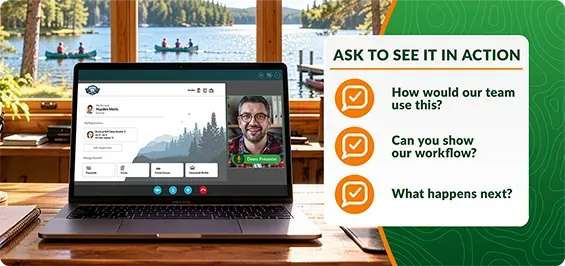
Questions to Ask During a Summer Camp Software Demo:
Make sure your demos work for you. If registration is a concern, ask to see how a family experiences it from account creation through registration, payment, and accessing resources during camp. Include workflow extras like waitlists, transferring between events, missing forms, and phone registrations.
Here’s how that conversation may go:
- “How easy is registration for new families?”
ask to walk through creating an account, adding campers and family members, choosing events to register, applying discounts, selecting payment options, and completing forms. Confirm how families receive signup details, what they can manage themselves during camp, and what requires staff assistance.
- “How do staff manage scheduled events, registrations, and waitlists?”
Review setup, capacity, eligibility, and multi-session workflows. Ask how staff access rosters, identify incomplete forms, and follow up with waitlisted campers.
- “How customizable are camp forms, and how is the data used?”
Review form creation, completion tracking, and how to access responses. Confirm how answers connect to other workflows.
- “How do at-camp workflows for health records, medication administration, attendance, and pickup work?”
Ask how staff will locate allergy information, manage camper medications, document incidents, and share relevant camper concerns with appropriate team members. For attendance, consider the methods your welcome team will use, ask about absences, early departures, and managing authorized pickup contacts. - “Which other daily workflows can the software support?”
Review cabin assignments, friend requests, activities, and communications. Include hiring or camp store tools if needed. Confirm what’s included, costs extra, or requires another system. - “How do your reports adapt to my needs? Can I build my own?”
Ask questions about reports your team uses regularly, such as outstanding balances or camper rosters. Review filters, exports, custom reports, and scheduled delivery options.
Ready to Try Your Vendor Questions?
iCampPro serves children’s camps across the United States, from traditional summer programs to faith-based, sports, and adventure camps with one or more locations.
We develop flexible, scalable tools with real camp feedback, helping your team tackle everyday challenges and focus on its mission.
Step 3: Understand Camp Software Costs Up Front
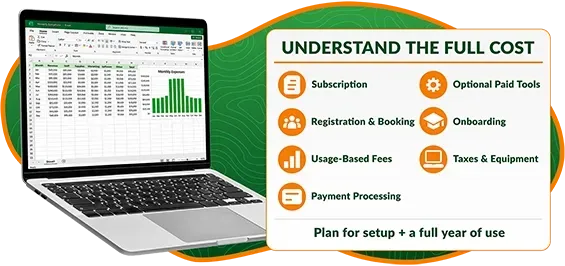
Camp budgets leave little room for unexpected fees. Budget for implementation—including data migration and training—and a full year of use.
Depending on the software, common costs may include:
- Subscription: Monthly or annual fees for software access.
- Registration and booking fees: Charges based on business volume such as camper registrations or organization bookings.
- Optional tools and usage-based fees: Charges for features, texting, or usage beyond your plan’s allowance.
- Payment processing: Transaction percentages, per-payment charges, gateway fees, return fees, and other applicable payment system costs.
- Onboarding: Setup assistance, data migration, and personalized training.
- Other expenses: Applicable taxes and equipment, such as payment terminals or other devices.
Ask which fees are one-time, recurring, or variable so you can budget and set expectations accordingly.
Confirm contract length, renewal terms, upgrade timing, and included support. Compare the total with your current expenses, including tools the new software could replace.
Knowing these costs early helps you assess affordability, prepare a recommendation for leadership, and identify transition roadblocks.
iCampPro publishes pricing details to help you evaluate your options.
Step 4: Does the Company Understand Camp Management Challenges?
You’re choosing a business partner. How they treat you and how clearly they answer your questions matters.

Look for Trust Signals – Experience, Updates, and Customer Feedback
Review the provider’s background, relevant staff experience, customer feedback, product updates, and social accounts. Ask how customer needs influence development and what educational resources you can access as a customer.
Ask About Data Security and Access Controls
Ask how staff permissions match responsibilities and how access changes when someone leaves. Request information about procedures used for data protection, backups, and recovery. A provider’s Trust Center can help you evaluate its security practices and qualifications.
Our
camp data security and software transition guide includes additional buying considerations and a general security Q&A with iCampPro’s Chief Information Security Officer. You can also review our
Trust Center for more information and our certifications.
Why Consider iCampPro as Your Camp Software Partner?
Established software experience:
iCampPro is part of the iClassPro, Inc. family, established in 2008. Its flagship software, iClassPro, serves thousands of children’s activity centers with software to manage registration, family accounts, billing, and payments. iCampPro has been helping camps manage operations since 2019.
Visible updates and security information:
Customers can access our online Changelog, which covers fixes and enhancements. Our Trust Center, operated by iClassPro, Inc., provides security information.
Development informed by camps:
We build software with input from camp leaders nationwide. Here’s what customers have shared
on Google:

“The software is also supported by a great team of people who really care about their customers’ needs.” Seth Stone, VP of Administration – Pine Cove
“Their customer service is top-notch and personal.” Matt Brubaker, Communications & Retreats Coordinator – Truett Conference Center & Camp

“I’ve been impressed with the customer service we’ve received from iCampPro. It’s encouraging to know that when I call with an issue, someone will answer, and I will talk to a real human who knows our camp specifically.” Lainey Buchanan, Director of Administration – Camp Huawni
Step 5: Choose Software That Can Grow with Your Camp Operations
Think beyond your next summer camp registration. Frequent movement between systems has an impact on cost, workload, and morale.
Will your camp add programs, expand your camp experiences, add teams or services, or open another property in the next five years?
Even if you only use the software’s basic features at first, ask whether the platform supports your future plans. For camps with multiple locations, programs, and simultaneous event types or seasons, explore how setup and cost may be impacted.
Step 6: Plan Your Camp Software Switch Around Registration Needs
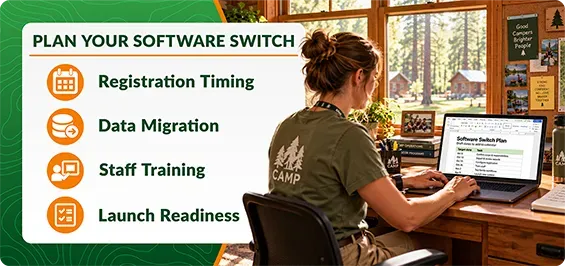
Don’t rush into decisions. Understand the risks and rewards and plan a switch that minimizes disruption during your busy seasons.
Plan your switch around registration, contract obligations, and staff availability. Ask the new provider whether a phased transition or a single launch best fits your camp—and how records and payments will stay consistent during the change.
Weigh the Pros & Cons of Switching Camp Software
Estimate value using your team’s capacity and workload. Which tasks could take less time after the switch? Which separate software tools could you replace? How could better workflows or data support camp leadership and decision-making?
- Potential benefits: Less repeated data entry, connected records, easier family account management, and clearer operational reporting. Better support, reliability, or stronger working relationships.
- Tradeoffs: Changing costs, managing historical records, implementation, staff training, connectivity needs, and adjusting to new processes.
Build Your Camp Management Software Shortlist
Use your must-have workflows during initial outreach and narrow down options into a shortlist of providers to evaluate with a demo.
The best camp management software is the one that fits your registration model, daily workflows, budget, and support needs.
After each demo, record:
- Fit: Needs met, workarounds, and unanswered questions.
- Usability: Tasks families and staff can complete confidently and areas where they will likely need help.
- Cost: Pricing structure, estimates, and unresolved pricing questions.
- Implementation: Responsibilities, training, and estimated launch timing.
Give every provider the same scenarios. Compare what they demonstrate. Follow up on any unconfirmed must-have before deciding.
Timing Your Camp Management Software Switch
Summer may reveal the problems with your current system, but a successful switch takes preparation. Choose a timeline that gives your team time to configure, test, and learn how to use the software before your next registration opens.
Post-summer planning is a useful starting point. Your registration calendar, contract dates, and staff availability should guide the schedule.
Work backward from your ideal registration launch date and budget for any overlap between systems as you move your operations over.
Allow time to:
- Review contract obligations and gain access to existing data.
- Plan out migration scope and responsibilities with your new provider.
- Set up initial events, forms, payment processing, and user permissions.
- Train staff and test registration before opening it to camp families.
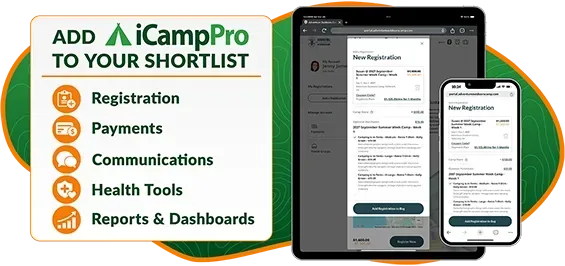
Add iCampPro to Your Software Vendor Shortlist
iCampPro connects registration, payments, communications, health tools, reporting, and other camp workflows, with plan and feature choices to match your needs.
iCampPro Features to Help Run Your Camp More Efficiently:
- Different Camp Experiences: Support traditional
individual camper registrations, household events, and
group event reservations for organizations.
- Online Registration:
Give families online account access with helpful FAQs.
- Daily Camp Operations: Connect
forms,
health tools,
attendance,
camper groups, and
communications.
- Visibility & Finances: Manage
payments,
financial reporting,
dashboards and reports, and
camp store activity.
- Staff Access & Hiring: Assign
role-based permissions and
manage seasonal applications.
You’re invited to bring your must-haves, registration model, and biggest challenges to a demo with our team. We’ll help you evaluate the fit and clarify pricing and onboarding options.
Already a customer?
Explore our subscription plans and bundled features to find the best fit to maximize your camp operations.